The Ultimate Starter Guide to AI Teammates
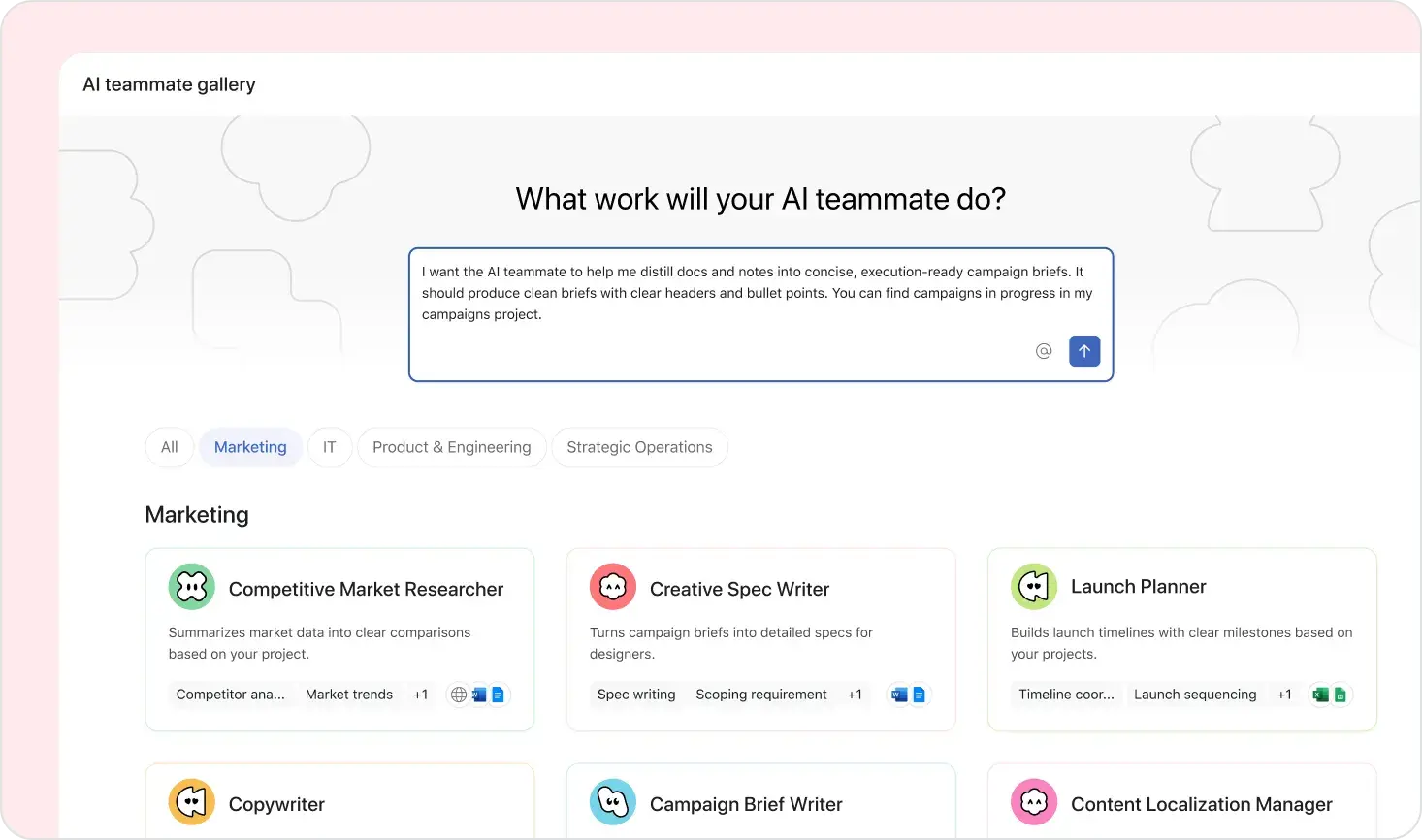
What is this? If you've just gotten access to an AI Teammate in Asana (or you're curious about what they can actually do), this guide is for you. We pulled together the best starter tasks from two different AI Teammates — and organized them into a single, easy-to-follow list.
These are real, practical tasks you can hand off today. They're ordered from "zero setup, instant value" to "power user moves." Each one includes a sample prompt you can copy and tweak.
The golden rule: Give your AI Teammate context like you'd give a sharp new hire — be specific, share the "why," and point them to the right materials.
Scale AI with Confidence: Learn from IT Leaders
While 80% of IT leaders expect AI to reshape work soon, most organizations are stuck in pilot mode. Get our comprehensive report to uncover six proven trends that successful AI scalers use to drive enterprise-wide transformation.
🟢 Tier 1: Start Here (Instant Value, Zero Setup)
These take minutes to set up and deliver results right away.
1. Triage Your Task List
Let your AI Teammate scan your tasks, flag what's overdue, spot dependencies, and suggest what to tackle first.
Try this prompt: "Look at my current tasks in [Project Name]. Flag anything overdue or blocked, group them by priority, and suggest an order for tackling them this week."
Why it works: Everyone has a messy task list. This gives you a clean view in minutes instead of an hour of sorting.
2. Prep for a Meeting or 1:1
Hand off the busywork of pulling together agendas, talking points, and context before meetings.
Try this prompt: "I have a 1:1 with [Name] tomorrow. Pull together any open tasks we share, recent updates, and draft a short agenda with talking points."
Why it works: You walk into every meeting prepared, without spending 20 minutes scrambling beforehand.
3. Write a Status Update or Briefing
Turn your recent project activity into a polished update you can share with stakeholders.
Try this prompt: "Write a weekly status update for [Project Name] based on tasks completed this week, anything blocked, and upcoming milestones. Keep it concise — this is going to our VP."
Why it works: Status updates are important but tedious. Your AI Teammate can draft one in seconds that you just review and send.
🟡 Tier 2: High Impact (Light Setup)
These may need a bit more context upfront, but the payoff is big.
4. Turn a Meeting Transcript into a Strategy Doc or Summary
Got a raw transcript from a Zoom call or brainstorm? Turn it into something actually useful — action items, a strategy brief, or a structured summary.
Try this prompt: "Here's a transcript from our product planning meeting. Extract the key decisions, action items with owners, and open questions. Then draft a short strategy summary I can share with the team."
Why it works: Transcripts are gold mines that nobody reads. This turns 60 minutes of conversation into a 2-minute read.
5. Draft or Reimagine a Piece of Content
Whether it's a first draft, a rewrite, or adapting something for a new audience — content creation is a sweet spot for AI Teammates.
Try this prompt: "Take this blog post draft and rewrite it for a more technical audience. Tighten the intro, add specific examples, and cut it down by 30%."
Another option: "Draft a project brief for [initiative] targeting [audience]. Use the notes in [task/doc] as source material. Tone: clear, confident, not corporate."
Why it works: Getting from blank page to solid draft is the hardest part. Let AI handle the first pass so you can focus on editing and refining.
6. Research and Compile a Dossier or Briefing
Need to get smart on a topic fast? Have your AI Teammate pull together a structured briefing.
Try this prompt: "Compile a briefing on [topic/company/competitor]. Include key facts, recent developments, and anything relevant to our [project/strategy]. Format it as a one-pager I can scan in 5 minutes."
Why it works: Perfect for prepping before a pitch, partnership conversation, or strategic decision.
7. Write a Detailed Bug Report from a Short Description
Turn a vague Slack message like "the thing is broken again" into a proper, structured bug report.
Try this prompt: "Here's a short description of a bug: [paste description]. Write a detailed bug report with steps to reproduce, expected vs. actual behavior, environment details, and suggested severity level."
Why it works: Good bug reports save engineering hours. Most people don't write them well — your AI Teammate will.
🔵 Tier 3: Power User Moves
These unlock serious leverage once you're comfortable with the basics.
8. Break Down a Problem into Scoped Investigation Tasks
Have a big, ambiguous problem? Let your AI Teammate decompose it into concrete, assignable investigation tasks.
Try this prompt: "We're seeing a 15% drop in user activation. Break this down into 5-7 investigation tasks — each should be scoped to one person, one week, with a clear deliverable."
Why it works: Going from "big vague problem" to "clear workstreams" is one of the hardest things in project management. AI Teammates are surprisingly good at this.
9. Reorganize a Project to Match a Template
Got a messy project that needs to follow a standard structure? Let your AI Teammate restructure it.
Try this prompt: "Reorganize [Project Name] to match the structure of [Template Project]. Move tasks into the right sections, flag anything that doesn't fit, and create placeholder tasks for any gaps."
Why it works: Project hygiene matters but nobody wants to do it. This is a perfect delegation task.
10. Create Structured Tasks for Others from Detailed Context
Turn a strategy doc, spec, or brainstorm output into well-structured tasks with descriptions, owners, and due dates.
Try this prompt: "Based on this project brief [link/paste], create tasks for each workstream. Include clear descriptions, suggested owners from [team list], and a rough timeline. Add them to [Project Name]."
Why it works: You go from "plan" to "execution-ready project" in minutes instead of an afternoon.
11. Analyze a Backlog and Produce a Summary Report
Staring at 200 tasks and no idea where things stand? Get a bird's-eye view.
Try this prompt: "Analyze the backlog in [Project Name]. Summarize: how many tasks are open vs. completed, what's overdue, any patterns in blockers, and your recommendation for what to prioritize next sprint."
Why it works: Great for sprint planning, quarterly reviews, or just getting a handle on a project you inherited.
12. Plan a Content or Work Series and Scaffold a Project
Planning a blog series, onboarding program, or campaign? Let your AI Teammate build out the full structure.
Try this prompt: "Plan a 6-part blog series on [topic] for [audience]. For each post, create a task with a title, outline, target publish date, and key points to cover. Set up the project with milestones."
Why it works: Scaffolding is tedious but essential. This gets you from concept to fully-structured project in one go.
💡 Tips for Getting the Best Results
Be specific about what you want. "Summarize this" is okay. "Summarize this as a 3-paragraph executive briefing for our CFO" is much better.
Share the "why." When your AI Teammate understands the purpose, it makes better judgment calls. "This is for a board meeting" vs. "this is for my team standup" leads to very different outputs.
Point to real materials. Link to docs, tasks, transcripts, or projects. The more concrete context, the better the output.
Iterate, don't restart. If the first output is 80% there, give feedback. "Make it shorter," "add more examples," "make the tone less formal" — AI Teammates learn from your direction.
Start with what annoys you. The best first task is usually the thing you've been procrastinating on because it's tedious, not because it's hard.
Don't over-polish your prompt. You don't need perfect grammar or a formal request. Talk to your AI Teammate like a coworker — casual and clear beats formal and vague.
Use it for the first draft, not the final one. AI Teammates are incredible at getting from 0 → 80%. Your job is the last 20% — the judgment, nuance, and taste that makes it yours.
This guide was put together by combining recommendations from two AI Teammates who've seen what works. Try one task this week — you'll be surprised how much time you get back. ✨