Operational plan template
Turn strategy into action with a free operational plan template. Learn key components, follow step-by-step guidance, and customize your plan for your team.
Create your templateSign up to create your own template.
ИНТЕГРИРОВАННЫЕ ФУНКЦИИ
Recommended apps


Summary
Operational planning involves many teams working together. It can create real change, but it also requires a lot of coordination. To make it work, you need to bring together nearly every team in the company, such as executives, finance, product, legal, and human resources.
Templates help by giving everyone a shared plan, so you don't need endless conversations to get started. At Asana, we use set workflows to make our operational planning smoother, from annual planning to business meetings.
This guide explains what operational planning is, the main parts every plan should have, and how to build one step by step. We'll also show the benefits of using a digital template and share examples from our team at Asana.
What is operational planning?
Operational planning turns your company's strategy into actions, timelines, and responsibilities that teams can follow each day. Unlike project management, which focuses on a single project, operational planning sets the direction for the whole company and helps everyone stay aligned.
For example, operational planning involves:
Managing reporting cadences for business key performance indicators (KPIs)
Organizing monthly and quarterly business reviews
Project management for strategic initiatives
What is an operational plan template?
An operational plan template is a pre-made workflow for essential operational planning processes, such as annual planning or quarterly business reviews. The template lays out each step of the process so stakeholders know exactly how to collaborate. For example, if you build an annual planning template, you no longer have to start from scratch for each new planning cycle.
Operational planning vs. strategic planning
People often confuse operational planning with strategic planning, but they are different. A strategic plan sets your organization's long-term vision, typically for 3 to 5 years. An operational plan explains how teams will perform daily work to achieve those goals.
A strategic plan defines long-term direction over a three- to five-year horizon and focuses on company-wide goals. An operational plan turns that direction into action, with quarterly or annual timelines that outline who does what and when at the team level. For example, a strategic plan may target expansion into a new market, while the operational plan covers hiring a regional team, setting a launch timeline, and allocating budget.
Both plans work together, but your operational plan is where strategy turns into action.
Key components of an operational plan
A good operational plan gives your team clear direction. While every organization is unique, most strong plans include these main parts:
Goals and objectives: The specific goals your plan is designed to achieve, tied directly back to your broader strategic plan.
Timeline and milestones: A clear schedule for when each phase of work should be completed, with milestones to track progress.
Budget and resources: The financial and material resources required to carry out the plan, including staffing needs, tools, and third-party costs.
Roles and responsibilities: Clear ownership for every task and workstream so nothing falls through the cracks.
Action steps: Each goal is broken down into specific tasks and activities your teams will complete.
Key performance indicators: The metrics you'll use to measure progress and identify where to course-correct.
Risks and contingencies: Potential blockers that could slow your team down, along with a plan to address them.
Adding all these elements ensures your plan can be put into action, rather than just sitting unused in a folder.
How to create an operational plan
Creating an operational plan can be simple. Here are steps to help you turn your strategy into a clear plan you can use:
Start with your strategic goals. Review your organization's strategic plan and identify the goals your operational plan needs to support. This ensures your day-to-day work is always connected to the bigger picture.
Define the scope. Clarify which teams, time periods, and priorities your plan will cover. An annual operational plan will look different from a quarterly one, so set boundaries early.
List key activities and tasks. Break each goal into specific activities. Be as concrete as possible so teams understand exactly what needs to happen.
Assign ownership. For every activity, identify a clear owner. Accountability is what turns plans into progress.
Set timelines and milestones. Build a realistic schedule with deadlines for each task and milestones to mark major checkpoints. This keeps your team focused and on track.
Allocate resources and budget. Determine what resources each activity requires, including people, tools, and funding. Make sure your plan is realistic, given your available capacity.
Define your KPIs. Choose the key performance indicators you'll track to measure success. Decide how and when you'll review them.
Share and communicate your plan. An operational plan only works if people can see it. Share it with all relevant stakeholders and establish regular check-ins to review progress and adjust as needed.
Using a work management tool like Asana makes it easier to manage each of these steps in one place, so your plan stays visible and up to date as work progresses.
Why use a digital operations plan template?
Since operational planning involves many people, it's easy to run into problems like confusing email threads, too many meetings, and lost details. Tools like email and Google Docs can sometimes make things even more confusing.
A work management platform solves these problems by centralizing your planning process in one place, giving everyone a single source of truth for communicating, sharing updates, and planning in real time.
Here's what you can do with a digital operations plan template:
Create a single system of record for operational planning work.
Centralize stakeholder conversations in one place to prevent information loss.
Share status reports with stakeholders without scheduling extra meetings.
View project reports and graphs to quickly understand how initiatives are performing.
Automate operations workflows so teams can spend less time coordinating work and more time on high-impact initiatives.
Easily update project schedules, tasks, and owners as circumstances change.
Use forms to standardize how teams share information.
Switch between project views to visualize operations workflows in different ways, including task lists, Gantt charts, calendars, or Kanban boards.
Types of operational planning templates
When making operational planning templates, it's best to focus on one use case at a time. Below, we share two examples we use at Asana, along with the main parts of each.
1. Annual planning template
Annual planning involves many teams working together, with company goals and team plans advancing simultaneously. At Asana, our planning team uses predefined workflows to streamline the process and consolidate everything into a single plan. Here's how we do it.
Define each annual planning phase. At Asana, we break the annual planning process into phases, each with a specific goal and time frame. When building your template, create a section at the top to define each annual planning phase, including its goal and the time it occurs.
Create sections for each department or team. Organize each team's tasks into a single section, so they can easily see what they're responsible for accomplishing during the annual planning cycle.
Use custom tags to add additional information. At Asana, we use custom tags to view important details about each task. For example, we use tags to identify which team is responsible, which planning workstream the task falls under, whether it's a concrete deliverable or a decision to be made, and whether a meeting is required.
Identify key milestones in your plan. Create milestones to identify important checkpoints throughout the annual planning process. This helps teams understand what they're working toward and how it fits into the overall planning roadmap.
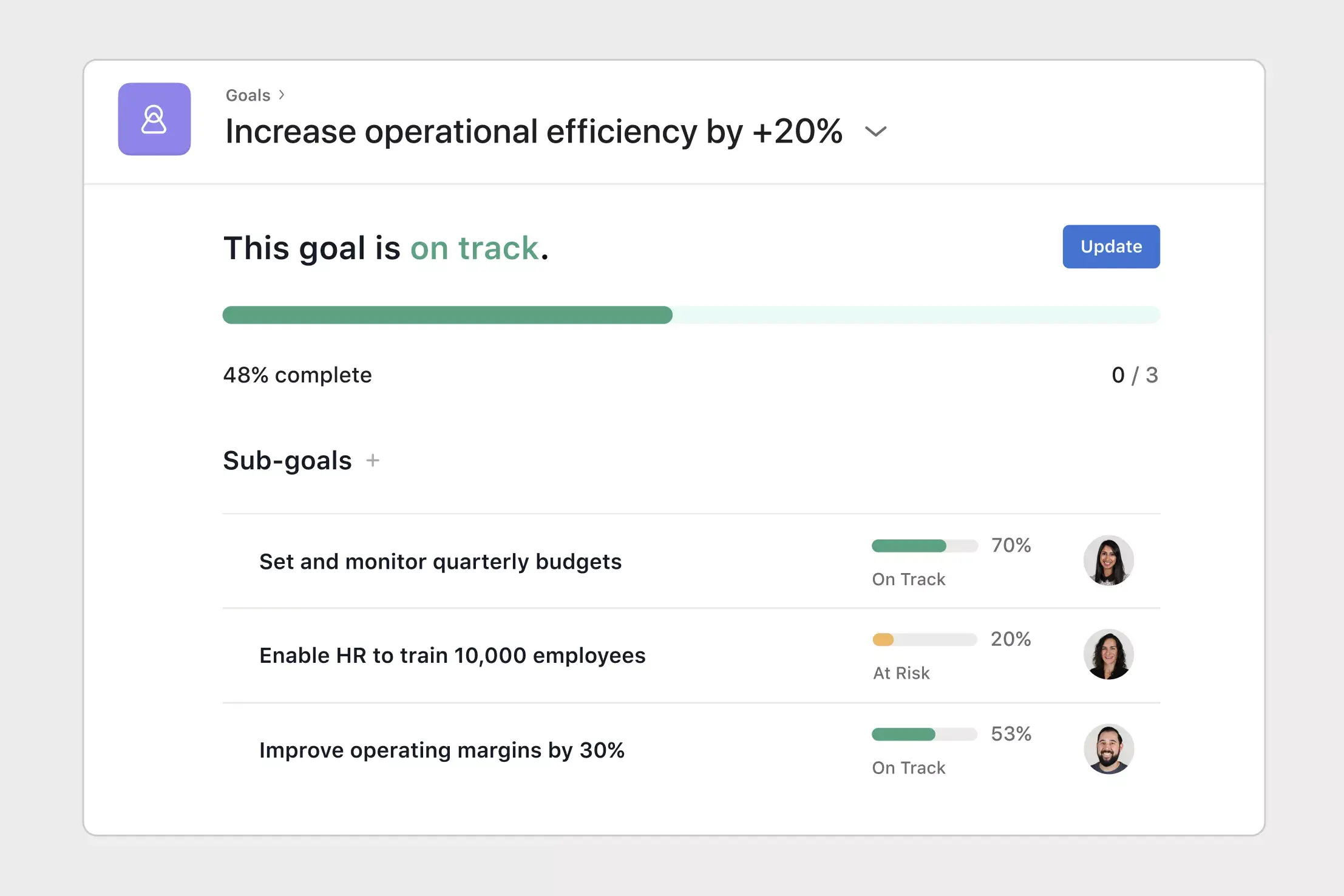
Once you've created your annual plan, share and track it with Goals, an organization-wide tool that helps your entire company set, monitor, and communicate about goals.
2. Business planning meeting template
Business leaders need to stay aligned. One way to keep executives on the same page is by hosting regular business planning meetings, where leaders can share updates, align on action items, and create plans.
At Asana, we use a set workflow to make business planning meetings run smoothly and use time well. Presenters get enough notice to prepare, and attendees can focus on the most important topics. Here's how we do it.
Create a single source of truth for meeting planning and follow-up. Centralize planning tasks in one place, so stakeholders can easily see what's coming up and who's responsible for each presentation. Create a single task for each agenda item, and then when the meeting is over, add that same task to other projects (like meeting notes or action items) without duplicating work.
Use sections to organize information. Make tasks easier to find by grouping them into sections such as upcoming topics, new topic submissions, and meeting agendas.
Submit new discussion topics with forms. Create a topic request form to standardize how new agenda items are added. Forms ensure you have all the information you need to plan agenda topics, like a brief description of the agenda item, goals for the discussion, the facilitator, and the time required.
Create custom tags to see key information at a glance. Add custom tags to get a quick view of each task's category and status. For example, use custom tags to identify whether agenda items are set or still open.
Recommended features and integrations
As you build out your operational planning templates, customize your team's workflows with these features and app integrations.
Integrated features
Custom fields. Tag, sort, and filter work by any information you need to track, from priority and status to email or phone number. Share custom fields across tasks and projects to ensure consistency across your organization.
Adding tasks to multiple projects. Track and manage tasks across multiple projects to reduce duplicative work and increase cross-team visibility. Your team can see tasks in context and view who's working on what, all in one place.
Automation. Set up Rules based on triggers and actions ("when X happens, do Y") to automatically assign work, adjust due dates, notify stakeholders, and more. From ad hoc automations to entire workflows, Rules gives your team time back for strategic work.
Forms. Standardize how work gets kicked off by intaking requests through a Form, which automatically creates a new task in your Asana project. Use branching logic to tailor questions, so you always gather the right information without treating each request as an ad hoc process.
Recommended apps
Zoom. Prepare for meetings, create tasks during calls, and automatically pull transcripts and recordings into Asana when the meeting ends. The integration keeps action items, agendas, and context connected in one place.
Google Workplace. Attach files directly to tasks in Asana using the Google Workspace file picker, built into the Asana task pane. Easily attach any My Drive file with just a few clicks.
Microsoft Teams. Search for and share the information you need without leaving Teams. Easily connect your Teams conversations to actionable items in Asana, and create, assign, and view tasks during a Teams Meeting without needing to switch to your browser.
Start building your operational plan
A good operational plan turns your company's strategy into clear daily work for your teams. When you set goals, assign owners, set timelines, and track progress in one place, every team can move faster and stay on the same page.
Ready to put your operational plan into action? Get started with a free operational plan template in Asana and bring your team's strategy to life.
FAQs about operational plan templates
Who is responsible for creating an operational plan?
How often should you update an operational plan?
What other operational planning templates can I use to streamline workflows for my business?
Can a project management platform help my business achieve strategic goals faster?
What's the best way to monitor all operational workflows in one place?
Создание шаблонов с помощью Asana
Узнайте, как создать кастомизируемый шаблон в Asana. Начните уже сегодня.